iOS Question Problem with Fontawesome

moore_it

Well-Known Member
Licensed User
Longtime User
Hi Erel,

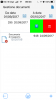
this is the problem after update to xcode 9 with material and awesome internal fonts.
 

Attachments

  • IMG_6342.PNG
    IMG_6342.PNG
    44.7 KB · Views: 310
Upvote 0

moore_it

Well-Known Member
Licensed User
Longtime User
Please try this,

i'm not sure this working file because i'm not in office. sorry for this.
Thanks in advice.
 

Attachments

  • Fonts.zip
    4.9 KB · Views: 285
Upvote 0

Erel

B4X founder
Staff member
Licensed User
Longtime User
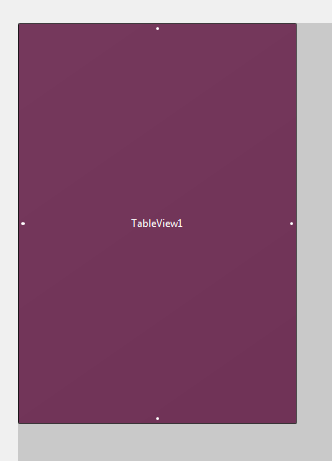
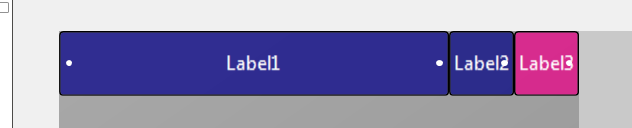
Use anchors:

SS-2017-10-08_11.35.02.png


SS-2017-10-08_11.35.41.png


You must handle the Page_Resize event and set the panels width:
B4X:
Private Sub Page1_Resize(Width As Int, Height As Int)
   For Each tc As TableCell In TableView1.GetItems(0)
     Dim p As Panel = tc.CustomView
     p.Width = TableView1.Width
   Next
End Sub

LoadData code:
B4X:
Sub LoadData
   Dim no As NativeObject
   no.Initialize("UIButton").RunMethod("appearance", Null).RunMethod("setFont:", Array(Font.CreateMaterialIcons(17)))
   TableView1.RowHeight = 70
   TableView1.SeparatorColor = Colors.White
   TableView1.Clear
   For i = 0 To 100
     Dim p As Panel
     p.Initialize("Cell")
     p.Width = Page1.RootPanel.Width
     p.Height = TableView1.RowHeight
     p.LoadLayout("row1")
     Label1.Text = "Row "&i
     Dim tc As TableCell = TableView1.AddSingleLine("")
     tc.AddActionButton(Chr(0xF014), Colors.Red)
     tc.AddActionButton(Chr(0xE22B), Colors.Green)
     tc.ShowSelection = True
     tc.AccessoryType = tc.ACCESSORY_NONE
     tc.CustomView = p
   Next
   TableView1.ReloadAll
End Sub


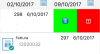
upload_2017-10-8_11-37-33.png
 
Upvote 0

moore_it

Well-Known Member
Licensed User
Longtime User
sorry Erel, but not working for me,
ok for the labels but the icons in ADDACTIONBUTTON not work on xcode 9.
this is the result
 

Attachments

  • error.png
    error.png
    32.1 KB · Views: 324
Upvote 0
Top