
-
Welcome to B4X forum!
B4X is a set of simple and powerful cross platform RAD tools:
- B4A (free) - Android development
- B4J (free) - Desktop and Server development
- B4i - iOS development
- B4R (free) - Arduino, ESP8266 and ESP32 development
You are using an out of date browser. It may not display this or other websites correctly.
You should upgrade or use an alternative browser.
You should upgrade or use an alternative browser.
Should I upgrade from 8Gb to 16Gb RAM?
- Thread starter wonder
- Start date
- Similar Threads Similar Threads


Do you monitor your RAM usage? If you're frequently butting up against the 80-90% region, then extra RAM might help out. If you're never anywhere near that, then extra RAM probably won't make much of a difference (unless you intend to use the extra RAM as a RAM drive).
I think 16 GB is the minimum requirement to run Chrome.
I think 16 GB is the minimum requirement to run Chrome.

SSD is definitely the way to go. As for RAM and maxing out at 80-90%, this is the way that Windows now tends to work. I think the technical term is called prefetch. It tries to load into RAM what it thinks you'll be needing so as to speed up your experience. It frees up RAM as required of you load something else.Do you monitor your RAM usage? If you're frequently butting up against the 80-90% region, then extra RAM might help out. If you're never anywhere near that, then extra RAM probably won't make much of a difference (unless you intend to use the extra RAM as a RAM drive).
I think 16 GB is the minimum requirement to run Chrome.

Is it worth it?
I have a notebook that I use for video editing in the field. It has both Sony Vegas and Adobe premier/after effects on it. It has 32G ram with an Nvidia GTX 870, a 512GB ssd drive and 1 TB hdd. Using the ssd drive as your scratch drive/temp rendering drive drastically improves video rendering performance. I record via an Atomos Samurai monitor/recorder which allows playback, but it is sometimes necessary to edit/render scenes for immediate playback in the field.
I would say yes to memory (video suites are memory hungry), and an ssd greatly improves rendering speed. Be sure your video editor is set to take advantage of your gtx 670's on-board processors (cuda cores).
--- Jem

I think 16 GB is the minimum requirement to run Chrome.

There is something else other than the browser Chrome???

...man, back in 1998 I had a 4Gb HD. You should really upgrade.... 1Gb HD.
...man, back in 1998 I had a 4Gb HD. You should really upgrade.
Just a "little" error: 1Tb, of course (+ external 2Tb)
Sound like a great setup, Jem! Just out of curiosity, what kind of video do you do? My video stuff is pretty basic, it's mostly focused on app demos (and my cat >^_^<).I have a notebook that I use for video editing in the field. It has both Sony Vegas and Adobe premier/after effects on it. It has 32G ram with an Nvidia GTX 870, a 512GB ssd drive and 1 TB hdd. Using the ssd drive as your scratch drive/temp rendering drive drastically improves video rendering performance. I record via an Atomos Samurai monitor/recorder which allows playback, but it is sometimes necessary to edit/render scenes for immediate playback in the field.
I would say yes to memory (video suites are memory hungry), and an ssd greatly improves rendering speed. Be sure your video editor is set to take advantage of your gtx 670's on-board processors (cuda cores).
--- Jem
The upgrade I have in mind is:
16Gb Ram
2x Nvidia GTX 670 (SLI)
512 Gb SSD
...and a new bigger case.
I'm that unimpressed with the new games consoles, PS4 and especially the Xbox One that I'm thinking of building myself aa PC gaming rig. I've got my eye on the new Skylake i7-6700k processor and some nice DDR4 RAM. It's a while till my birthday and Christmas though
Sound like a great setup, Jem! Just out of curiosity, what kind of video do you do? My video stuff is pretty basic
Commercial stuff for promotional, education and TV commercials. I'm currently finishing up a series of TV spots for the state of Oklahoma department of tourism that will air nationwide next spring to show off things to do here.
16Gb Ram
2x Nvidia GTX 670 (SLI)
512 Gb SSD
My editing station in the office is a bit ridiculous with an 8 core I7 and 128g of memory, etc. I went a little overboard, but in my defense I wanted it to last a few years and be able to handle full 4k video.
--- Jem
I did an upgrade about 2-3 years ago, so its not the latest hardware, and at the time, I didn't go for the top line/latest stuff. However, I lucked out and this PC even though being a few years old, runs like the clappers and its normally waiting on me!
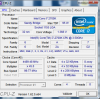
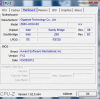
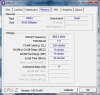
Its basically an i7 3.5GHz 4 core (Hyperthreaded for 8 threads), with an Overclock to 4.4GHz. Something I found on the net, which only required changing 4 values in my BIOS, and it has run 100% reliably. Ironically, the MB came with an OC software, which caused common and random reboots all the time; so I do not run this at all. It was an upgrade, so I already happen to have a big boy cpu cooler (due to heating issues/bug with my previous bad/suspect dual core CPU). I also changed the primary HDD to a RAID 1 dual SSD (only 120GB because a few years back, when I built the system, these were just coming down in price). It only has 8GBG RAM, but I have 2 unused RAM slots for future upgrade (which I haven't felt I needed so far). The PC sits attached to my TV as my Media Center, and is also very quiet (I replaced all the fans with "silent" alternatives, and even have a spare random "silent" fan blowing across the MB, as my previous PC had a big power supply with extra outlets)
I do not use the PC for Gaming, so use the on-board graphics card on the motherboard. this fact shows in the windows performance index. Even running Windows (XP or Win7, Or Linux) in a Virtual PC appears to be "normal" ie I do not notice any "slow down".
If any of my friends were looking for a cheap but fast PC (not for gaming, a better video board may be all that is needed to be added) I would be suggesting this kind of setup. I have only seen it "bog down" when having to re-encode large video; but then I do this off my SSD and on my extra RAID 1 old school HDD. The big butt fan I have keeps the CPU sufficiently cool (ie no need for water cooling or crazy stuff)
NB, even though it is OC'd, please understand I am not one of those OC geeks that build their own water cooling etc etc, I simply applied the 4 values in BIOS I found on the net (specific to my CPU and MB I think) and off I went.bAlso remember when looking at the windows ratings of 7.8, that's on a scale from 1.0 to 7.9
I guess the moral of the story is, you do not need to spend up big. I lucked out, my PC combination just works, and works well.
Its basically an i7 3.5GHz 4 core (Hyperthreaded for 8 threads), with an Overclock to 4.4GHz. Something I found on the net, which only required changing 4 values in my BIOS, and it has run 100% reliably. Ironically, the MB came with an OC software, which caused common and random reboots all the time; so I do not run this at all. It was an upgrade, so I already happen to have a big boy cpu cooler (due to heating issues/bug with my previous bad/suspect dual core CPU). I also changed the primary HDD to a RAID 1 dual SSD (only 120GB because a few years back, when I built the system, these were just coming down in price). It only has 8GBG RAM, but I have 2 unused RAM slots for future upgrade (which I haven't felt I needed so far). The PC sits attached to my TV as my Media Center, and is also very quiet (I replaced all the fans with "silent" alternatives, and even have a spare random "silent" fan blowing across the MB, as my previous PC had a big power supply with extra outlets)
I do not use the PC for Gaming, so use the on-board graphics card on the motherboard. this fact shows in the windows performance index. Even running Windows (XP or Win7, Or Linux) in a Virtual PC appears to be "normal" ie I do not notice any "slow down".
If any of my friends were looking for a cheap but fast PC (not for gaming, a better video board may be all that is needed to be added) I would be suggesting this kind of setup. I have only seen it "bog down" when having to re-encode large video; but then I do this off my SSD and on my extra RAID 1 old school HDD. The big butt fan I have keeps the CPU sufficiently cool (ie no need for water cooling or crazy stuff)
NB, even though it is OC'd, please understand I am not one of those OC geeks that build their own water cooling etc etc, I simply applied the 4 values in BIOS I found on the net (specific to my CPU and MB I think) and off I went.bAlso remember when looking at the windows ratings of 7.8, that's on a scale from 1.0 to 7.9
I guess the moral of the story is, you do not need to spend up big. I lucked out, my PC combination just works, and works well.
Attachments

Last edited:

SSD should be the first step. The performance improvement is huge.
@Erel is correct, SSD should be your first upgrade @wonder. I always tell people that should be the first thing that they do, especially if they are already runny a half decent spec machine, the spped increase is just awesome. I'm currently running 2x 1TB SSD's in my laptop and my current private online server is SSD too.

Hello,
I'm starting to think about my next computer. From this thread it looks like an SSD is something to seriously consider.
How do you use the SSD?
Is the SSD the Windows drive/boot drive with everything else on a rotating hard drive?
Or, is the SSD large enough (1 TB is plenty for me) to hold everything?
I had thought that with all of Windows disk caching and such that an SSD would not make a huge difference – but this does not seem to be the case.
Barry.
I'm starting to think about my next computer. From this thread it looks like an SSD is something to seriously consider.
How do you use the SSD?
Is the SSD the Windows drive/boot drive with everything else on a rotating hard drive?
Or, is the SSD large enough (1 TB is plenty for me) to hold everything?
I had thought that with all of Windows disk caching and such that an SSD would not make a huge difference – but this does not seem to be the case.
Barry.
Yes OS boot drive on the SSD and anything that requires lots of fast read writes such as rendering CAD or graphics. Music, photos and video files on the spun disk as you only need to access these fast enough to play smoothly which a spun drive is more than capable of.
If encoding video then you may want to drop the video file on the SSD to speed up the encode.
If encoding video then you may want to drop the video file on the SSD to speed up the encode.
Last edited: