
Hi Fam
Let's unbox (and perhaps build together) this monster to be.
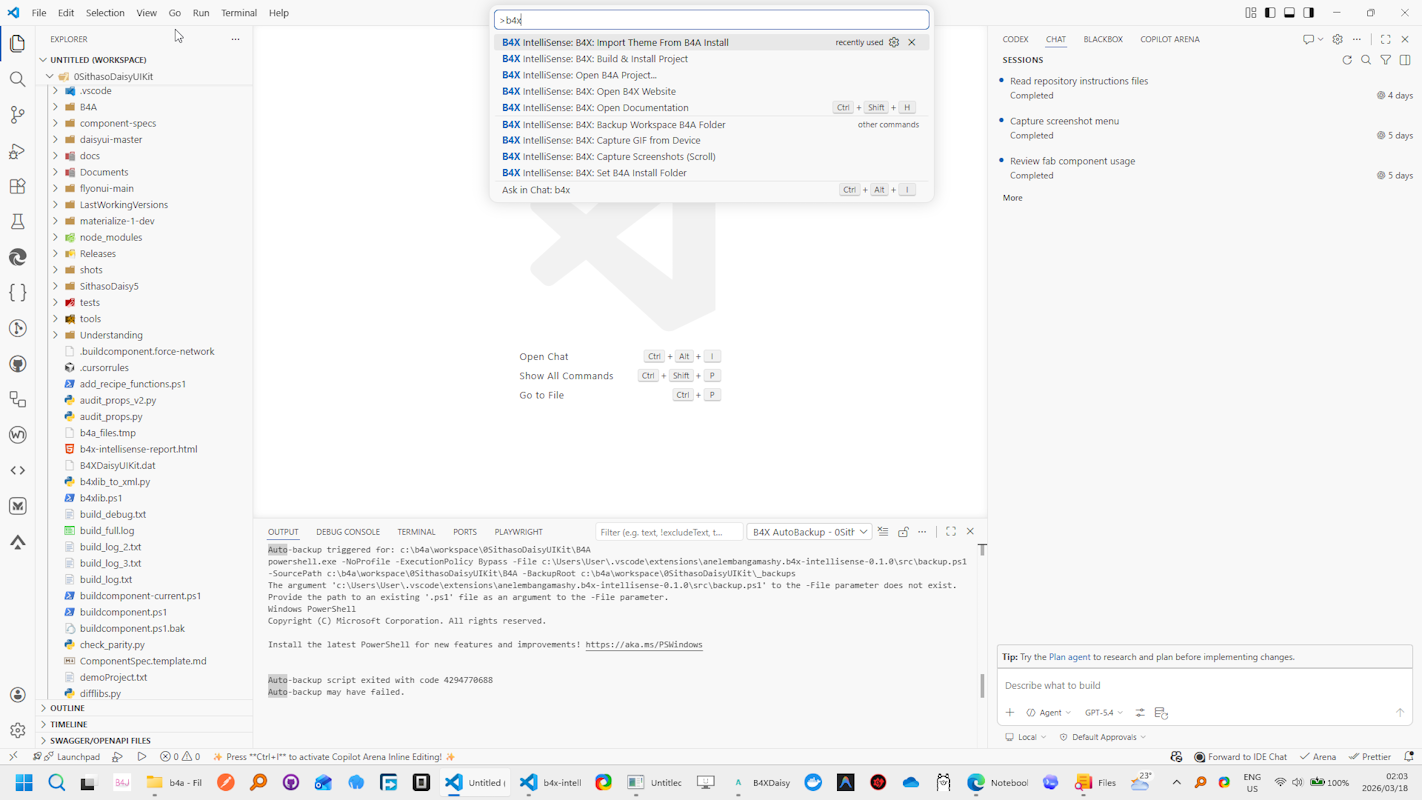
Quickly get it from your VS Code Extensions
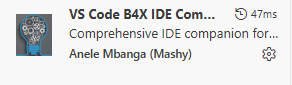
Hello Fam!
This has been generated with AI. For now it focuses on b4a, will adopt it for other frameworks soon.
I've had myself into a pickle, I find myself using VSCode more with AI to work on my projects, so let's see this new B4X IntelliSense Extension for Visual Studio Code. It’s time to pull back the curtain. If you love the B4X framework (B4A, B4i, B4J, B4R) but want to leverage the massive ecosystem, layout, and speed of Visual Studio Code, this extension bridges the gap. bla bla bla bla...
This isn't just a basic syntax highlighter; it is a full-featured Language Server Protocol (LSP) integration that understands the B4X language structure. Here is a deep dive into what it does, how it works under the hood, and why it will revolutionize your workflow.
 1. Smart Type Inference & Auto-Complete
Why use it: Writing code is much faster when your editor accurately predicts what properties, methods, and variables belong to the object you are typing.
How it works: The extension doesn't just guess; it actively reads your workspace and installation files to build a massive in-memory API index.
 2. Real-Time Code Diagnostics & "Quick Fixes"
Why use it: Catch compilation errors before you even hit compile, saving you round-trip debugging time.
How it works: The extension continuously analyzes your active document. For example, B4X requires Type declarations to be placed inside Sub Class_Globals or Sub Process_Globals. The extension's diagnostic engine scans your lines, detecting if a Type is declared outside of these specific subroutines. If it finds a misplaced type, it throws a warning and offers a Code Action (Quick Fix) that will literally edit your document to automatically move the Type block into the correct Globals subroutine. It also supports modern refactoring features like "Extract Method".
(In most cases where AI generates the code, usually it created the Type outside of these subroutines, some AI tools still miss this part. So far thats the only compilation error it fixes, I hope more can come.)
 3. Native IDE Theme Importing
Why use it: You want the modern power of VS Code, but your eyes are perfectly accustomed to your customized B4X IDE colors.
How it works: The extension includes a .vssettings theme importer that reads directly from the Themes folder in your B4A installation. It parses the XML color data from the B4X theme and maps specific B4X scopes (like 'User Types - Methods' or 'Keyword') directly into VS Code's textMateRules and token color customizations. It seamlessly generates and applies a native VS Code .json theme file that matches your B4X environment perfectly.
 4. Seamless "Main" Code Syncing
Why use it: B4X .b4a files mix UI designer metadata with basic code, making them messy to edit in standard text editors.
How it works: The extension safely separates the code from the metadata. It reads your .b4a file and extracts everything after the @EndOfDesignText@ marker, saving it into a temporary .b4x file in your workspace. You edit this clean .b4x file in VS Code. When you save, a file system watcher automatically syncs your newly written code back into the original .b4a file, safely preserving the designer metadata while keeping a timestamped backup just in case.
 5. Integrated Building & Auto-Backups
Why use it: You can compile, install, and backup without leaving the VS Code window.
How it works:
THIS HAS BEEN FUN & PAINFUL... ha ha ha..
#SharingTheGoodness
Let's unbox (and perhaps build together) this monster to be.
Quickly get it from your VS Code Extensions
Hello Fam!
This has been generated with AI. For now it focuses on b4a, will adopt it for other frameworks soon.
I've had myself into a pickle, I find myself using VSCode more with AI to work on my projects, so let's see this new B4X IntelliSense Extension for Visual Studio Code. It’s time to pull back the curtain. If you love the B4X framework (B4A, B4i, B4J, B4R) but want to leverage the massive ecosystem, layout, and speed of Visual Studio Code, this extension bridges the gap. bla bla bla bla...
This isn't just a basic syntax highlighter; it is a full-featured Language Server Protocol (LSP) integration that understands the B4X language structure. Here is a deep dive into what it does, how it works under the hood, and why it will revolutionize your workflow.
1. Smart Type Inference & Auto-CompleteWhy use it: Writing code is much faster when your editor accurately predicts what properties, methods, and variables belong to the object you are typing.
How it works: The extension doesn't just guess; it actively reads your workspace and installation files to build a massive in-memory API index.
- XML & B4X Library Parsing: It parses the xml, b4xlib in your Libraries/Additional Libraries files directly from your B4A installation and configured additional folders. It decodes the XML nodes (like <class>, <method>, and <property>) into a searchable index.
- Workspace Scanning: It reads your .b4a project file to determine exactly which libraries and external shared modules your specific project uses.
- Inference Engine: As you type, the extension tracks your Dim, Public, and Private declarations, as well as Sub parameters, to constantly infer the types of your variables. When you type a dot (.), it resolves the known class and instantly provides accurate member completion.
2. Real-Time Code Diagnostics & "Quick Fixes"Why use it: Catch compilation errors before you even hit compile, saving you round-trip debugging time.
How it works: The extension continuously analyzes your active document. For example, B4X requires Type declarations to be placed inside Sub Class_Globals or Sub Process_Globals. The extension's diagnostic engine scans your lines, detecting if a Type is declared outside of these specific subroutines. If it finds a misplaced type, it throws a warning and offers a Code Action (Quick Fix) that will literally edit your document to automatically move the Type block into the correct Globals subroutine. It also supports modern refactoring features like "Extract Method".
(In most cases where AI generates the code, usually it created the Type outside of these subroutines, some AI tools still miss this part. So far thats the only compilation error it fixes, I hope more can come.)
3. Native IDE Theme ImportingWhy use it: You want the modern power of VS Code, but your eyes are perfectly accustomed to your customized B4X IDE colors.
How it works: The extension includes a .vssettings theme importer that reads directly from the Themes folder in your B4A installation. It parses the XML color data from the B4X theme and maps specific B4X scopes (like 'User Types - Methods' or 'Keyword') directly into VS Code's textMateRules and token color customizations. It seamlessly generates and applies a native VS Code .json theme file that matches your B4X environment perfectly.
4. Seamless "Main" Code SyncingWhy use it: B4X .b4a files mix UI designer metadata with basic code, making them messy to edit in standard text editors.
How it works: The extension safely separates the code from the metadata. It reads your .b4a file and extracts everything after the @EndOfDesignText@ marker, saving it into a temporary .b4x file in your workspace. You edit this clean .b4x file in VS Code. When you save, a file system watcher automatically syncs your newly written code back into the original .b4a file, safely preserving the designer metadata while keeping a timestamped backup just in case.
5. Integrated Building & Auto-BackupsWhy use it: You can compile, install, and backup without leaving the VS Code window.
How it works:
- Auto-Backups: The extension reads your system-wide b4xV5.ini configuration. If AutoBackup is enabled, it spawns a hidden background PowerShell script that automatically backs up your B4A folder at the exact intervals specified in your INI file.
- Building: By running the b4xIntellisense.installProject command, the extension locates your B4ABuilder.exe and your adb.exe paths, and executes a PowerShell build script to compile and push your app directly to your device or emulator.
- Tick off some wishful thinking
- Tick off bugs discovered during unboxing
- Tick off AI intergration
- Tick off some other dreams...
THIS HAS BEEN FUN & PAINFUL... ha ha ha..
#SharingTheGoodness


