Hi there,
I need some assistance with SQLite and B4A :sign0163: PLEASE!!
This is what I have done:
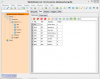
A snapshot/view of database as viewed in SQLiteSuite is attached, and the actual database is attached in the .zip file.
Here's the code of the complete project:
When I run it, the following Log is produced, and the and it fails to open the database.
PackageAdded: package:b4a.example
** Activity (main) Create, isFirst = true **
codeSettings: CheckDataBaseAccess Begin
* DirAssets..........: AssetsDir
* DirDefaultExternal.: /storage/sdcard0/Android/data/b4a.example/files
* DirInternal........: /data/data/b4a.example/files
* DirInternalCash....: /data/data/b4a.example/cache
* DirRoorExternal....: /storage/sdcard0
+ Database found here: AssetsDir\databasetest.gr8
main_checkdatabaseaccess (B4A line: 55)
SQLdB.Initialize (File.DirAssets, "databasetest.gr8", False)
android.database.sqlite.SQLiteCantOpenDatabaseException: unknown error (code 14): Could not open database
at android.database.sqlite.SQLiteConnection.nativeOpen(Native Method)
at android.database.sqlite.SQLiteConnection.open(SQLiteConnection.java:278)
at android.database.sqlite.SQLiteConnection.open(SQLiteConnection.java:217)
at android.database.sqlite.SQLiteConnectionPool.openConnectionLocked(SQLiteConnectionPool.java:464)
at android.database.sqlite.SQLiteConnectionPool.open(SQLiteConnectionPool.java:186)
at android.database.sqlite.SQLiteConnectionPool.open(SQLiteConnectionPool.java:178)
at android.database.sqlite.SQLiteDatabase.openInner(SQLiteDatabase.java:804)
at android.database.sqlite.SQLiteDatabase.open(SQLiteDatabase.java:789)
at android.database.sqlite.SQLiteDatabase.openDatabase(SQLiteDatabase.java:694)
at android.database.sqlite.SQLiteDatabase.openDatabase(SQLiteDatabase.java:669)
at anywheresoftware.b4a.sql.SQL.Initialize(SQL.java:37)
at b4a.example.main._checkdatabaseaccess(main.java:324)
at b4a.example.main._activity_create(main.java:243)
at java.lang.reflect.Method.invokeNative(Native Method)
at java.lang.reflect.Method.invoke(Method.java:511)
at anywheresoftware.b4a.BA.raiseEvent2(BA.java:169)
at b4a.example.main.afterFirstLayout(main.java:89)
at b4a.example.main.access$100(main.java:16)
at b4a.example.main$WaitForLayout.run(main.java:74)
at android.os.Handler.handleCallback(Handler.java:615)
at android.os.Handler.dispatchMessage(Handler.java:92)
at android.os.Looper.loop(Looper.java:137)
at android.app.ActivityThread.main(ActivityThread.java:4898)
at java.lang.reflect.Method.invokeNative(Native Method)
at java.lang.reflect.Method.invoke(Method.java:511)
at com.android.internal.os.ZygoteInit$MethodAndArgsCaller.run(ZygoteInit.java:1008)
at com.android.internal.os.ZygoteInit.main(ZygoteInit.java:775)
at dalvik.system.NativeStart.main(Native Method)
I have read the posts related to SQLite etc. and cannot understand what the problem is.
The database is also attached, if it may assist anyone in helping me.
Any help/assistance will be greatly appreciated.
I need some assistance with SQLite and B4A :sign0163: PLEASE!!
This is what I have done:
- I used SQLiteStudio (v2.1.4) to create a SQLite database and I named it 'database.gr8'.
- I added a table named 'Countries' with 4 columns ID3, ID2, Country and Active
- Populated the table with 8 records and saved the database in a local directory.
- Created a new B4A project called SQLiteTesting, and switch on SQL library.
- Added the database to the project files.
- Created a sub named CheckDataBaseAccess and added the code as can be seen below:
- Have my Samsung Galaxy Note II connected via USB.
- Run the app in Debug mode and get the error (below the code) when the database is initialised.
A snapshot/view of database as viewed in SQLiteSuite is attached, and the actual database is attached in the .zip file.
Here's the code of the complete project:
B4X:
#Region  Project Attributes
   #ApplicationLabel: B4A Example
   #VersionCode: 1
   #VersionName:
   'SupportedOrientations possible values: unspecified, landscape or portrait.
   #SupportedOrientations: unspecified
   #CanInstallToExternalStorage: False
#End Region

#Region  Activity Attributes
   #FullScreen: False
   #IncludeTitle: True
#End Region

Sub Process_Globals
   'These global variables will be declared once when the application starts.
   'These variables can be accessed from all modules.
   Dim SQLdB As SQL
End Sub

Sub Globals
   'These global variables will be redeclared each time the activity is created.
   'These variables can only be accessed from this module.

End Sub

Sub Activity_Create(FirstTime As Boolean)
   'Do not forget to load the layout file created with the visual designer. For example:
   'Activity.LoadLayout("Layout1")
   CheckDataBaseAccess
End Sub

Sub Activity_Resume

End Sub

Sub Activity_Pause (UserClosed As Boolean)

End Sub

Sub CheckDataBaseAccess
Log ("codeSettings: CheckDataBaseAccess Begin")
   Log ("   * DirAssets..........: " & File.DirAssets)
   Log ("   * DirDefaultExternal.: " & File.DirDefaultExternal)
   Log ("   * DirInternal........: " & File.DirInternal)
   Log ("   * DirInternalCash....: " & File.DirInternalCache)
   Log ("   * DirRoorExternal....: " & File.DirRootExternal)

   If File.Exists (File.DirAssets, "databasetest.gr8") Then
      Log ("   + Database found here: " & File.DirAssets & "\databasetest.gr8")
   Else
      Log ("   - Database NOT found here: " & File.DirAssets)
   End If

   SQLdB.Initialize (File.DirAssets, "databasetest.gr8", False)

   If SQLdB.IsInitialized = True Then
      Log ("   + DataBase: databasetest.gr8 initialised and available.")
      Log ("codeSettings: CheckDataBaseAccess ended")
      Return True
   Else
      Log ("   + DataBase: databasetest.gr8 was NOT initialised.")
      Log ("codeSettings: CheckDataBaseAccess ended")
      Return False
   End If

End Sub
When I run it, the following Log is produced, and the and it fails to open the database.
PackageAdded: package:b4a.example
** Activity (main) Create, isFirst = true **
codeSettings: CheckDataBaseAccess Begin
* DirAssets..........: AssetsDir
* DirDefaultExternal.: /storage/sdcard0/Android/data/b4a.example/files
* DirInternal........: /data/data/b4a.example/files
* DirInternalCash....: /data/data/b4a.example/cache
* DirRoorExternal....: /storage/sdcard0
+ Database found here: AssetsDir\databasetest.gr8
main_checkdatabaseaccess (B4A line: 55)
SQLdB.Initialize (File.DirAssets, "databasetest.gr8", False)
android.database.sqlite.SQLiteCantOpenDatabaseException: unknown error (code 14): Could not open database
at android.database.sqlite.SQLiteConnection.nativeOpen(Native Method)
at android.database.sqlite.SQLiteConnection.open(SQLiteConnection.java:278)
at android.database.sqlite.SQLiteConnection.open(SQLiteConnection.java:217)
at android.database.sqlite.SQLiteConnectionPool.openConnectionLocked(SQLiteConnectionPool.java:464)
at android.database.sqlite.SQLiteConnectionPool.open(SQLiteConnectionPool.java:186)
at android.database.sqlite.SQLiteConnectionPool.open(SQLiteConnectionPool.java:178)
at android.database.sqlite.SQLiteDatabase.openInner(SQLiteDatabase.java:804)
at android.database.sqlite.SQLiteDatabase.open(SQLiteDatabase.java:789)
at android.database.sqlite.SQLiteDatabase.openDatabase(SQLiteDatabase.java:694)
at android.database.sqlite.SQLiteDatabase.openDatabase(SQLiteDatabase.java:669)
at anywheresoftware.b4a.sql.SQL.Initialize(SQL.java:37)
at b4a.example.main._checkdatabaseaccess(main.java:324)
at b4a.example.main._activity_create(main.java:243)
at java.lang.reflect.Method.invokeNative(Native Method)
at java.lang.reflect.Method.invoke(Method.java:511)
at anywheresoftware.b4a.BA.raiseEvent2(BA.java:169)
at b4a.example.main.afterFirstLayout(main.java:89)
at b4a.example.main.access$100(main.java:16)
at b4a.example.main$WaitForLayout.run(main.java:74)
at android.os.Handler.handleCallback(Handler.java:615)
at android.os.Handler.dispatchMessage(Handler.java:92)
at android.os.Looper.loop(Looper.java:137)
at android.app.ActivityThread.main(ActivityThread.java:4898)
at java.lang.reflect.Method.invokeNative(Native Method)
at java.lang.reflect.Method.invoke(Method.java:511)
at com.android.internal.os.ZygoteInit$MethodAndArgsCaller.run(ZygoteInit.java:1008)
at com.android.internal.os.ZygoteInit.main(ZygoteInit.java:775)
at dalvik.system.NativeStart.main(Native Method)
I have read the posts related to SQLite etc. and cannot understand what the problem is.
The database is also attached, if it may assist anyone in helping me.
Any help/assistance will be greatly appreciated.