

Hello,
I have trouble understanding if there is a link with the 11.80 (64bit) version that I just installed or where the following error may well come from:
I create a release on play.google.com
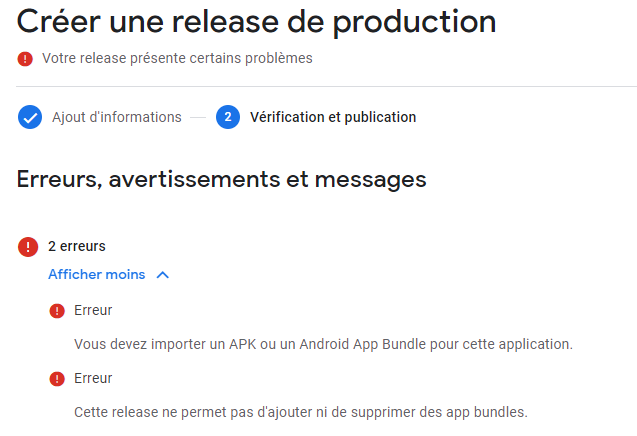
I import an aab file and get the message (you need to import an APK or Android App Bundle file for this app) - (This version does not allow adding or removing app bundles.)
If I import an APK version this time, I get the error message (you must import a valid RSA version)
If anyone has experienced something similar and can give me a solution, I'm all ears.
Thanks
I have trouble understanding if there is a link with the 11.80 (64bit) version that I just installed or where the following error may well come from:
I create a release on play.google.com
I import an aab file and get the message (you need to import an APK or Android App Bundle file for this app) - (This version does not allow adding or removing app bundles.)
If I import an APK version this time, I get the error message (you must import a valid RSA version)
If anyone has experienced something similar and can give me a solution, I'm all ears.
Thanks


