How to make a app fullscreen?

ojaneri

New Member
Hello,

I am a newbie to Basic4PCC and I am trying to make some Fuel Comsumption Calculator to my GPS Device ( a 480x272 touch screen windows ce 5.0 ).

I am on the very first steps of it, making a Form with the Designer. How can I make the form the full size of my screen (480x272)?

It appears it only can create 238x268 forms and I can´t modify these settings. Maybe because I am using the trial version?

Thanks!
 

klaus

Expert
Licensed User
Longtime User
You should have a look at the help file, everything is in there.

FullScreen2 method removes the menu bar and/or the title bar.
Syntax: FullScreen2 (RemoveMenu As Boolean, RemoveTitle As Boolean)
Removing the title without removing the menu bar is only supported by the optimized compiler (excluding Forced QVGA mode).

Best regards.
 
Thank you Klaus. First thing I do before asking something - take a look at the
help file.;)
I just had some doubts that FullScreen2 can solve the problem above(480X272)
Was I wrong?
 

derez

Expert
Licensed User
Longtime User
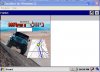
I join the question since I failed to get the fullscreen in an emulator of CE 5.0.
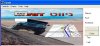
The designed form is 480 wide on 272 high.
The optimized compilation puts the left half of the form on the display, leaving the right side empty.
Opening it to full screen using the square at the corner doesn't change much - theform now occupies the whole screen but the application is still only half.

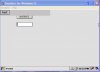
When using the fullscreen2 I get a full sacreen but the image is gone :confused:
See the attached photos.

Help will be appreciated :sign0085:
 

Attachments

  • CE.jpg
    CE.jpg
    50.5 KB · Views: 360
  • CE_IDE.jpg
    CE_IDE.jpg
    51.5 KB · Views: 348
  • CE_FS.jpg
    CE_FS.jpg
    29.4 KB · Views: 338
Last edited:

sitajony

Active Member
Licensed User
It's normal coz when you set an image as background on a form it draw with the form dimension but when you set your form in fullscreen the size is changed...
You need to reset your background after each size changing with the Resize event from Formlib.dll:
B4X:
Form1.Image="MyImage.jpg"
fl.New1("Form1",b4pobject(1))
fl.FullScreen2(true,true)
Sub fl_Resize
Form1.Image="MyImage.jpg"
end sub
fl is a Formlib object...

Or you can also set your image after set it in fullscreen but when you'll change your screen orientation it'll turn blank again but not with my method...
 
Last edited:
Top