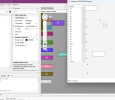
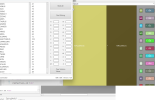
In the Visual Designer, having added views, is there a simple way to align them, make them all the same width/height and spread them out?
I have easily used the Designer Script to size/position/align the views proportionally according to the pane size, but once that script is run, saving the layout doesn't retain those new positions.
It's not a big deal, but it just looks a mess when I open the Visual Designer, and there are too many fiddly views for me to try and do this all by manually editing the properties of each one.
If there's a way to save the size/positions of the views after the script has placed them that would be great. (Also a wish would be to have Designer Script loops to be able to iterate over a list of views and space them evenly, instead of having to specify each view individually in the script.)
I have easily used the Designer Script to size/position/align the views proportionally according to the pane size, but once that script is run, saving the layout doesn't retain those new positions.
It's not a big deal, but it just looks a mess when I open the Visual Designer, and there are too many fiddly views for me to try and do this all by manually editing the properties of each one.
If there's a way to save the size/positions of the views after the script has placed them that would be great. (Also a wish would be to have Designer Script loops to be able to iterate over a list of views and space them evenly, instead of having to specify each view individually in the script.)