Libraries not visible

gjoisa

Active Member
Licensed User
Longtime User
You should add the created .jar and .xml file in Library folder of your Basic4Android application folder . Then refresh in lib module .
 
Upvote 0

Dominex

Active Member
Licensed User
Longtime User
You should add the created .jar and .xml file in Library folder of your Basic4Android application folder . Then refresh in lib module .
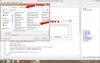
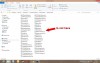
What you say I've done that. The new library is visible in Basic4Android, but the files .Jar and. Xml are not physically visible in the folder libraries. I am certain, however, that the folder is correct because if you recompile the library files indicated are visible with the dialog for files! I open the folder will explore and there are not! Boh!

 
Last edited:
Upvote 0

Dominex

Active Member
Licensed User
Longtime User
"Program files" is a restricted folder. Windows probably saves your library in a virtual folder instead. You should move the additional libraries folder to a different path.
That must be why, I moved the folder somewhere else and are now visible.

In addition, before it gave me errors when I included in the compilation my library, now no longer the case.

Thanks!
 
Upvote 0
Top