
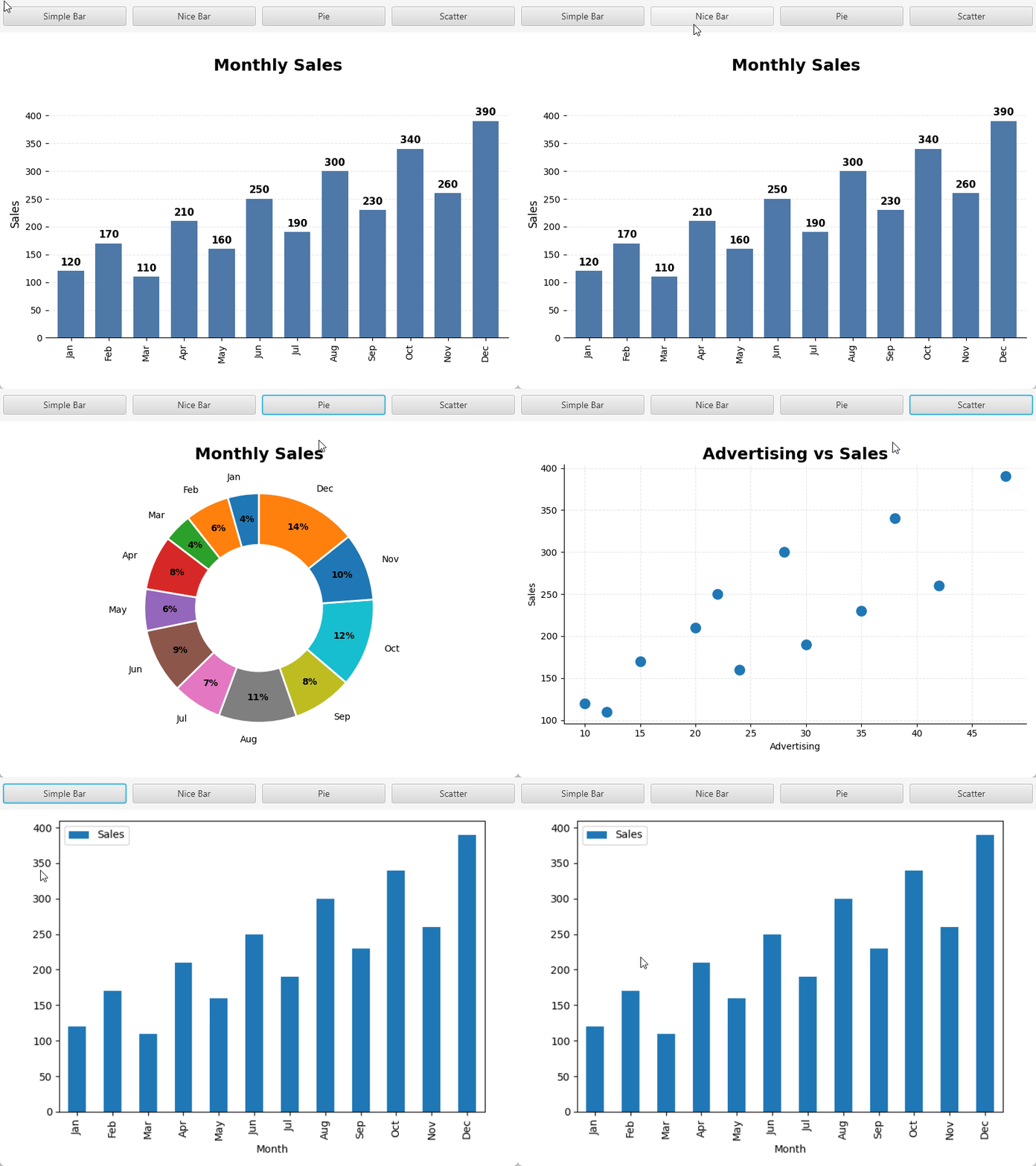
As mentioned here: https://www.b4x.com/android/forum/threads/pybridge-loa-listofarrays-dataframes.170772/ ListOfArrays can be converted quite easily to Python DataFrame. DataFrames are the backbone of many Python frameworks. In this example the data is plotted using MatplotLib. There are really endless ways to customize these drawing and luckily AI can help with both the B4J code and Python code.
The important snippets are:
B4X:
'Converts a LOA to DataFrame.
Public Sub LOAToDataFrame (LOA As ListOfArrays) As PyWrapper
    Dim Code As String = $"
def LOAToDataFrame (LOA):
    df = pandas.DataFrame(LOA[1:], columns=LOA[0])
    return df
"$
    Return Py.RunCode("LOAToDataFrame", Array(LOA.mInternalArray), Code)
End Sub
And to extract an image from the plot:
B4X:
Private Sub PlotToImage (ax As PyWrapper) As ResumableSub
    Dim BytesIO As PyWrapper = Py.ImportModuleFrom("io", "BytesIO")
    Dim rv As PyWrapper = BytesIO.Call
    Dim fig As PyWrapper = ax.Run("get_figure")
    fig.Run("tight_layout")
    fig.Run("savefig").Arg(rv).ArgNamed("format", "png")
    Dim plt As PyWrapper = Py.ImportModule("matplotlib.pyplot")
    plt.Run("close").Arg(fig)
    Wait For (rv.Run("getvalue").Fetch) Complete (img As PyWrapper)
    Return Py.ImageFromBytes(img.Value)
End Sub
Usage example:
B4X:
Private Sub btnSimpleBar_Click
    Dim df As PyWrapper = LOAToDataFrame(Sales)
    Dim ax As PyWrapper = SimpleBar(df)
    GetImageAndShow(ax)
End Sub

Private Sub SimpleBar (df As PyWrapper) As PyWrapper
    Dim ax As PyWrapper = df.Run("plot").ArgNamed("kind", "bar").ArgNamed("x", "Month").ArgNamed("y", "Sales") 'df.plot(kind=bar, x="Month", y="Sales")
    Return ax
End Sub

Private Sub GetImageAndShow(ax As PyWrapper)
    Wait For (PlotToImage(ax)) Complete (Result As B4XBitmap)
    B4XImageView1.Bitmap = Result
End Sub
It depends on:
pip install matplotlib
pip install pandas
These are large frameworks and are more suitable for a global installed Python.
