Share My Creation My first app

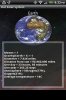
Hi all, i downloaded the trial of Basic4Android and loved it, so the next day i paid for the full version, 3 days later ive made my first app called Our Solar System.

Download here

I know its not amazing and theres allready a lot other space apps, but for me to get it done in 3 days and being my first app im happy with it.

Any feedback, suggestions etc is allways appreciated.

PQAAAKPmitcvD4VwNOnhDSnvWSPWncckjqJdp04FnORNSi9d8UvvX4QZ0mvIbfSgsAH68M9fhyZZdmBIoKoslj4BexcAzfqVaWTe49wppCTIjsOlHmZ28c0cGlMc.png
 
Last edited:

NJDude

Expert
Licensed User
Longtime User
Not bad for a first app.

My humble opinion about it:

1- Try to use a panel and center it on the screen in order to avoid a "bottom" gap, for example on my EVO the is a black gap at the bottom of the screen (see attached picture).

2- I would replace the MENU button to select the planets for a Spinner, it makes more sense.

3- I see you have ads, however, they disappear after the intro screen, you have to take care of that.
 

Attachments

  • Evo1.JPG
    Evo1.JPG
    29.2 KB · Views: 396
Last edited:

TheFOL

Member
Licensed User
Longtime User
Thanks for the feedback, the black bar is odd as it doesnt do it on my android phone, will have to sort that.

Thanks for the suggestions, they are appreciated.
 

NJDude

Expert
Licensed User
Longtime User
The gap at the bottom is because you have the height set at 430dip, some phones are a little bigger, you could use height = 100%y, I know you are still learning, but you will get used to dealing with different screen sizes, densities and such, plenty of samples on the forums, of course, you can always ask too :D
 

TheFOL

Member
Licensed User
Longtime User
Thanks again, ive changed them to 100%y and they seem to be working.

Ive no idea where to even start with a spinner to select the planets lol.
 

NJDude

Expert
Licensed User
Longtime User
Now the gap is at the top. it seems the ad is there, but not sure.

If you want, export your project to a ZIP and post it (use the designer, there's an option under FILE) and I will help you out.
 
Last edited:

TheFOL

Member
Licensed User
Longtime User
Hi again, that would be great thanks.

I had to remove the images due to the zip being too big to upload, but you should be able to see the code still.

Thanks for offerening to look at it, its very much appreciated.
 
Last edited:

NJDude

Expert
Licensed User
Longtime User
Ok, I have simplified the app, it will give you a good idea of what and how you can do things.

One thing, I have removed your publisher ID, you should not publish that, you better delete your attachment.

Enjoy!!
 

Attachments

  • Planets.zip
    293.8 KB · Views: 432

TheFOL

Member
Licensed User
Longtime User
Ive just downloaded and opened it, it works great.

I will spend tonight rebuilding the app based on your code, thanks for taking the time to do that its appreciated.

I will post back here when ive finished updateing.

:)
 

TheFOL

Member
Licensed User
Longtime User
Hi again, the only issue i seem to have now is getting the spinner and the labels to center themselves on a screen, for example ive set the picturepanel to PicturePanel.Width = 100%, to ensure it fills the screen, but this seems to leave the labels then looking slightly of center, any ideas?.

Thanks for all your help BTW.
 
Top