B4J Question Theme change when Running App

Swissmade

Well-Known Member
Licensed User
Longtime User
Hi all,
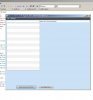
Strange thinks happening when I run a Release App in the IDE and OutSide.
Somehow I miss a Theme????
I like to have the Scene like in the IDE.
See Images
Have found something. Using Java 7.55 I get the theme of the Image Inside the IDE.
Using Java 8.05 I get the Theme of the Image Oudside IDE.
How can I change the Theme???

Hope anyone can help here.
 

Attachments
  • InSide-IDE .jpg
    InSide-IDE .jpg
    54 KB · Views: 354
  • OutSide-IDE.jpg
    OutSide-IDE.jpg
    31.1 KB · Views: 341
Last edited:

Swissmade

Well-Known Member
Licensed User
Longtime User
Does this error only happen with Java 8?

Erel,
I have Java 7 and 8 on my system.
For the IDE I have select Java 7. After I select Java 8 I get the same issue.
So this has to do with Java 8.
 
Upvote 0

Swissmade

Well-Known Member
Licensed User
Longtime User
Found a way to solve this.
Not really the way but its working.
Copy the Style-sheet in the Zip to DirAssets.
Use the following code after a form is created and Initialize.
B4X:
MainForm.Stylesheets.Add(File.GetUri(File.DirAssets, "caspian.css"))

I hope this helps somebody.
There can be a Warning in the Log of the IDE.
WARNING: Could not resolve 'a lookup value' while resolving lookups for '-fx-border-color' from rule '*.table-cell' in stylesheet file:/../../caspian.css

I don't know how to solve this.:(:(
 

Attachments

  • caspian.zip
    22.5 KB · Views: 303
Last edited:
Upvote 0

Swissmade

Well-Known Member
Licensed User
Longtime User
Solved the right way.
Just select the right Java version I have deleted Version 8 and run 7.xx
More functions can be used in version 7.xx
 
Upvote 0
Top