

I'm happy to release B4J v10.5!
Code Bundle is a tool that packs your project together with additional relevant information into a single json file, that can be provided to AI assistants for debugging, learning, refactoring and other tasks.
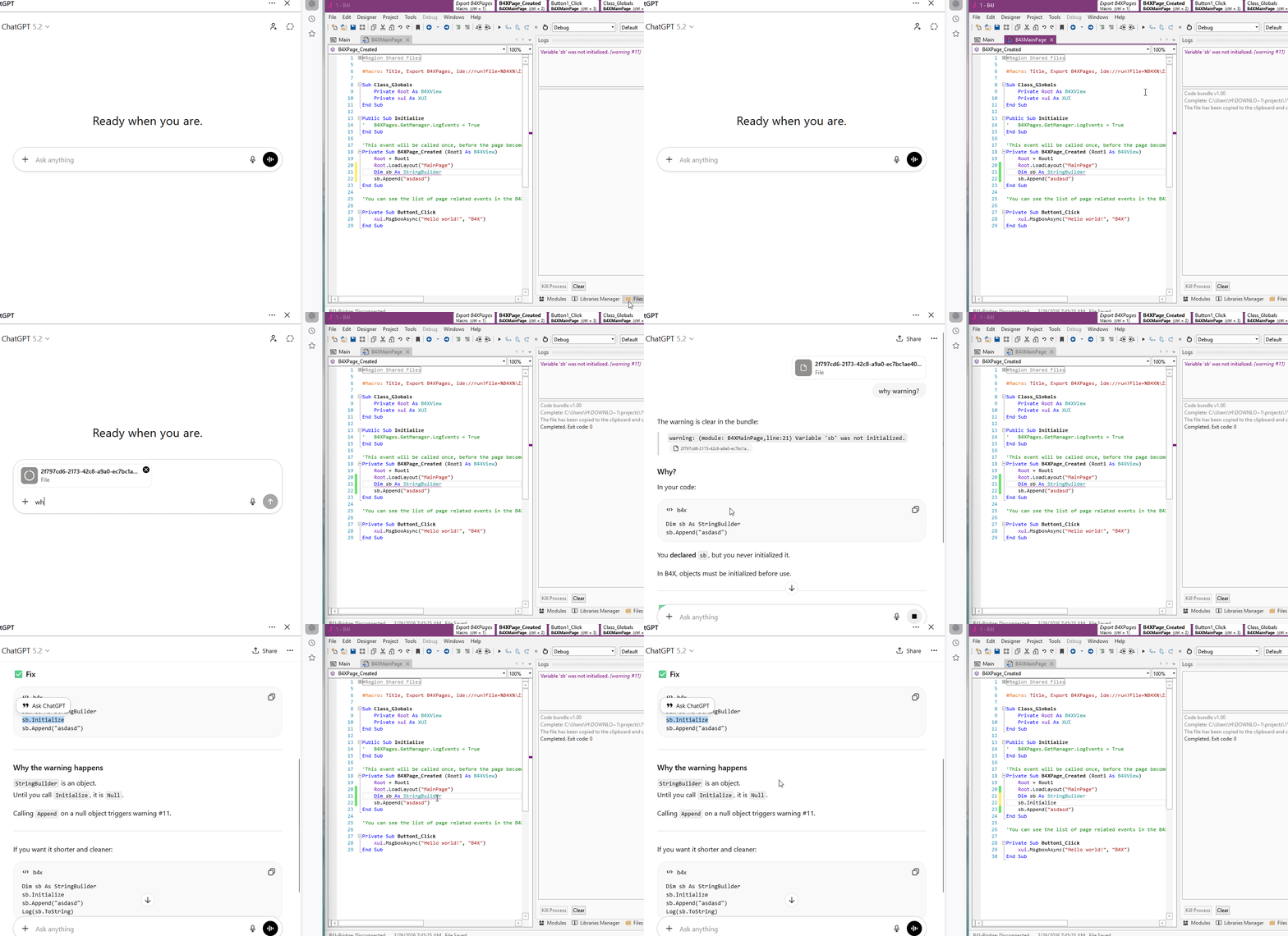
The bundle is created with a click of a button (Ctrl + R). The bundle includes:
- Click on Ctrl + R. A json file will be created and copied to the clipboard. Paste into the AI assistant and ask questions.
I tested it with several AI platforms and the results are quite good. The answers are mostly to the point.
Other improvements:
Download: https://www.b4x.com/b4j.html
Code Bundle is a tool that packs your project together with additional relevant information into a single json file, that can be provided to AI assistants for debugging, learning, refactoring and other tasks.
The bundle is created with a click of a button (Ctrl + R). The bundle includes:
- Project code + list of public APIs. Keys are sanitized based on heuristic templates.
- (optional) Logs + compilation output + warnings and errors list. Compilation output is included when the dialog is visible.
- (optional) Layouts + designer script.
- (optional) Paths configuration.
- List of files. Files content is not added.
- List of libraries with additional information for each library.
- Current caret location with the code around it - the AI knows where you are focused on right now.
- Additional information about the IDE and useful links for the AI to find more information.
- Click on Ctrl + R. A json file will be created and copied to the clipboard. Paste into the AI assistant and ask questions.
I tested it with several AI platforms and the results are quite good. The answers are mostly to the point.
Other improvements:
- Autocomplete in #If lines:
View attachment 170251
- List.Sublist - Very fast method that returns a read-only sub-list.
- Fix for String.ToLower not explicitly setting the locale. Mainly fixes the Turkish I: https://www.b4x.com/android/forum/t...ctly-for-the-turkish-language.163961/#content
- PyBridge template updated.
- New #Macro / comment link options:
- librariesrefresh - set to True to automatically refresh the libraries after the task runs.
- codesync - set to True to force the IDE to synchronize the code modules with the files.
- autosave - set to True to automatically save the project BEFORE running the task. Note that Tools - IDE Options - Auto Save should be enabled for this to have effect.
- filessync (not new) - set to True to synchronize the Files tab after the task.
- cleanproject (not new) - set to True to "clean project" after the task
- %STATE1% - new variable that causes the IDE to create a temporary file with the IDE state based on the new options under Tools - IDE Options. The file path will be passed to the process. This is used by Code Bundle and can be used by other similar tools. Note that the format is not final and can be modified.
- Objects\Temp folder is deleted when cleaning project.
- Json library updated and maps now preserve order when writing or reading.
- Other bug fixes and minor improvements.
Download: https://www.b4x.com/b4j.html


