Share My Creation [B4X][Project Template] Dashboard

B4A
B4J


Version: 0.63
GitHub: https://github.com/pyhoon/ab4xdashboard-b4x

My plan is to make a dashboard template for general use.
This template consists of:
  1. a drawer
  2. a static menu
  3. a mini menu
You can switch between the layout to show:
  1. fullscreen (collapsing/autohide drawer)
  2. fixed width static menu
  3. mini menu
What makes this template suitable for use on desktop app is the pages are loaded in the center panel instead of opening as new form.

This template is work in progress. Please report bugs here.

Edit: I have posted an explanation here on how this template is working differently from B4XPages template but you can mix usage with B4XPages. In fact, it is a B4XPages template.
 

Attachments

  • Dashboard.b4xtemplate
    87.9 KB · Views: 17
Last edited:

thetrueman

Active Member
Thanks for update and I want more basic functions in template like optional minimize and full screen buttons in title bar show/hide. Also for exit button show/hide so that we could add exit in drawer menu and keeping title bar hide to make full screen dashboard even hiding taskbar.

I downloaded the v0.63 from first post and from github but they show version 0.5 in the template. Please update it with next update. Thanks.
 

aeric

Expert
Licensed User
Longtime User

aeric

Expert
Licensed User
Longtime User
I want more basic functions in template like optional minimize and full screen buttons in title bar show/hide. Also for exit button show/hide so that we could add exit in drawer menu and keeping title bar hide to make full screen dashboard even hiding taskbar.
I don't understand what you want to achieve.
Drawer is showing temporarily and will be hidden automatically once you click outside of it.
You can modify this template and create a new templates to suit your requirements.
You can add or remove the buttons for minimize, maximize and exit.
 

thetrueman

Active Member
I have checked that both sources are correct.
Did you copy to the B4X Additional Libraries folder and overwrite the older version?

GitHub: https://github.com/pyhoon/ab4xdashboard-b4x/releases/download/v0.63/Dashboard.b4xtemplate

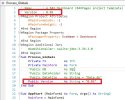
When I open new project from Dashboad template as shown in the picture, there is version number 0.05 even I have overwrite the old files.

I got idea for my questions from your next post. Thanks so much and looking forward for more enhancements.
 

Attachments

  • B4J Dashboard.jpg
    B4J Dashboard.jpg
    77.1 KB · Views: 6

thetrueman

Active Member
I have checked that both sources are correct.
Did you copy to the B4X Additional Libraries folder and overwrite the older version?

GitHub: https://github.com/pyhoon/ab4xdashboard-b4x/releases/download/v0.63/Dashboard.b4xtemplate

When I open new project from Dashboad template as shown in the picture, there is version number 0.05 even I have overwrite the old files.

I got idea for my questions from your next post. Thanks so much and looking forward for more enhancements.
 

aeric

Expert
Licensed User
Longtime User
If you don't see the new version, then most likely it is because you copy the template to wrong location.
Make sure you delete the template inside B4J additional libraries folder and internal libraries folder.
Put the template inside B4X additional libraries folder. You can also rename the template file.
 
Top