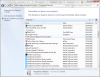
Hi @kisoft . I already installed... YES, it really looks that there is something wrong with java environment, but I don't know what... sometimes the best solution is reinstall windows from scratch ... a BIG job considering that we have a complete framework with other resources already configured... but, what to do? If you have any idea about how to fix it, please tell me.
Thanks! That's exactly what I'm doing now... in my experience as programmer, sometimes this works... and sometimes it's fast to do from scratch, unfortunately. But, I'm trying. I'll post here the result...
Hi,
the problem was the version of java (bitdepth) - using java 64 bits, doesn't work, besides my windows is X64... using 32 bits, works! What can I say? Windows! I hove that this can help any other member with the same problem: USE JAVA 32 BITS, doesn't matter if your windows is 64 or 32.
This site uses cookies to help personalise content, tailor your experience and to keep you logged in if you register.
By continuing to use this site, you are consenting to our use of cookies.





 ... a BIG job considering that we have a complete framework with other resources already configured... but, what to do? If you have any idea about how to fix it, please tell me.