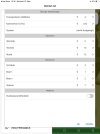
I can't really solve the problem, that dialogs (Custom, PreferencesDialog, ...) in iOS, that should have 95% of screen size are sometimes only a view dips small (see pics 3 and 4). (In B4A there is never this problem.)
This is a B4Xpage project, only portrait mode. So the size should not change, right? I know, that in iOS the width and height is only in B4XPage_Resize correct, so I use this event in many pages, to set the size in a global integer variable (Main.cG.i_Width, Main.cG.i_Heigh). To be save, I do this not only in the Main page and with "Max" I always use the larger one! But anyhow, sometimes I get this small dialogs.
This is a B4Xpage project, only portrait mode. So the size should not change, right? I know, that in iOS the width and height is only in B4XPage_Resize correct, so I use this event in many pages, to set the size in a global integer variable (Main.cG.i_Width, Main.cG.i_Heigh). To be save, I do this not only in the Main page and with "Max" I always use the larger one! But anyhow, sometimes I get this small dialogs.
B4X:
Private Sub B4XPage_Resize (Width As Int, Height As Int)
    modH.SetDisplaySize(Width, Height)
End Sub

Sub SetDisplaySize(Width As Int, Height As Int)
    Dim iWidth As Int = Max(Main.cG.i_Width, Width)
    Dim iHeight As Int = Max(Main.cG.i_Height, Height)
    iWidth = Max(iWidth, 100%x)
    iHeight = Max(iHeight, 100%y)
    Main.cG.i_Width = iWidth
    Main.cG.i_Height = iHeight
End Sub

    Dim dlg As B4XDialog : dlg.Initialize(Root) : Dialog = dlg 'global
    Dim p As B4XView = xui.CreatePanel("")
    p.SetLayoutAnimated(0, 0, 0, Main.cG.i_Width * 0.95, Main.cG.i_Width * 0.95)
    p.LoadLayout("viewDlgPackages")
    wait for (dlg.ShowCustom(p, "", "Content...", "Cancel")) Complete (dlgresult As Int)