Android Question Issue with designer after migration from W10 to W11

Sergio83

Active Member
Licensed User
Longtime User
Hello everyone,

I'm currently migrating my development environment from Windows 10 to Windows 11.

Apparently, everything went smoothly.

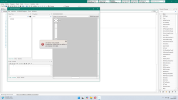
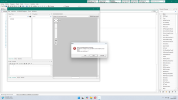
I compile without any problems, but when I open the designer, I get the following message:

Error message:
Reference to object not established as an instance of an object.

And the designer block on this message, not able to open any .bal

My environment is as follows:

B4A 13.40
JDK 19.0.2
SDK 36

The SDK level in manifest is 29.

This happens with all the applications I've tested.

If anyone could help to fix this issue, it will be great from him or her
 

DonManfred

Expert
Licensed User
Longtime User
do you have any use of the designer-script in your layout?
Are you using a object here which does not exists in the layout?

Can you upload a small project showing the issue?
 
Upvote 0

Sergio83

Active Member
Licensed User
Longtime User
Hi Don,

The simplest I've found is an empty new project, so in that way there is no environmental bothering!

I join 3 documents, the zipped project and two screen copies whith messages I got: one at the designer opening second when trying to open the main layout.

Sorry, my mother language is french, so my B4X environment language is french ....

Thanks for your help Don.
 

Attachments

  • Designer opening.png
    Designer opening.png
    171.1 KB · Views: 28
  • Layout opening.png
    Layout opening.png
    183.9 KB · Views: 26
  • test.zip
    9.1 KB · Views: 12
Upvote 0

Sergio83

Active Member
Licensed User
Longtime User
Hi again teddybear,

I wonder about two things regarding your reply:

1- The screen hard copy is related to B4J, but may be it is not relevant.
2- When I open the B4XJ.exe or B4A.exe properties panel and select compatibility, how can I reach the "High DPI settings for B4J or B4A .exe"?

I apologie, I'm not a beginner concerning Windows, but I' m also not an expert ...

Thanks for your help.
 
Upvote 0

DonManfred

Expert
Licensed User
Longtime User
the zipped project and two screen copies whith messages I got: one at the designer opening second when trying to open the main layout.
I can open the designer without a problem with your project.
Even the layout is loaded and shows one Button.

Note that i use B4A 13.40
 
Upvote 0

Sergio83

Active Member
Licensed User
Longtime User
Hi Don,

Your confirm me it is not a problem related to B4X, that's what I tought.

May be a track of investigation: I didn't download JDK and SDK live, I've just made a copy from my W10 environment (I've done that way because there is no installation procedure needed to be ran).

Could it be the reason of the issue I'm facing?

I'll download live SDK and JDK and I let you know, thanks again Don.
 
Upvote 0

teddybear

Well-Known Member
Licensed User
Hi again teddybear,

I wonder about two things regarding your reply:

1- The screen hard copy is related to B4J, but may be it is not relevant.
2- When I open the B4XJ.exe or B4A.exe properties panel and select compatibility, how can I reach the "High DPI settings for B4J or B4A .exe"?

I apologie, I'm not a beginner concerning Windows, but I' m also not an expert ...

Thanks for your help.
微信图片_2026-05-18_220342_975.png
 
Upvote 0

Sergio83

Active Member
Licensed User
Longtime User
Hi teddybear,

As my mother language is french, my Windows environments are french to . The way labels are translated is often ambiguous ...

Fiinally I got success to apply your sugestion, but, infortunately the issue is still pending ...
 
Upvote 0

Sergio83

Active Member
Licensed User
Longtime User
Hi Don,

I made a refresh by downloading again SDK and JDK, my issue is still pending.

How can I have more information about the occurence of this issue B4A log, Windows log, ... , to try to fix it ?
 
Upvote 0

Sergio83

Active Member
Licensed User
Longtime User
Hi everybody,

Finally I've uninstalled and installed again B4A.

The pathes where still as defined at the first install (?)

The result sounds better, now I can access the designer and layouts.

A bit mysterious (for me ...) but good news.

Many thanks to everyone who tried to help me.

A good evening to Erel, Don and teddybear!

:);)
 
Last edited:
Upvote 0
Top