Android Code Snippet Theme Colors

Changing the action bar, status bar and navigation bar colors is done with resources set in the manifest editor.
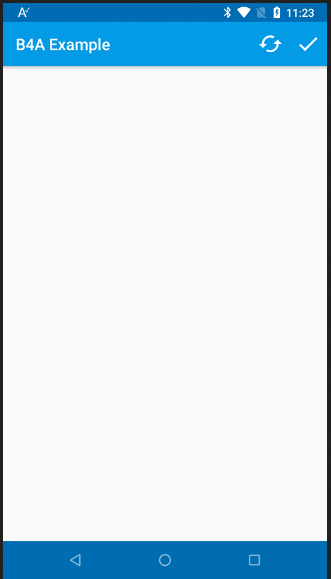

SS-2017-12-28_11.21.22.png


The manifest code:
B4X:
SetApplicationAttribute(android:theme, "@style/LightTheme")
CreateResource(values, colors.xml,
<resources>
    <color name="actionbar">#ff039be5</color>
   <color name="statusbar">#ff006db3</color>
   <color name="textColorPrimary">#ffffffff</color>
   <color name="navigationBar">#ff006db3</color>
</resources>
)
CreateResource(values, theme.xml,
<resources>
    <style name="LightTheme" parent="@android:style/Theme.Material.Light">
        <item name="android:colorPrimary">@color/actionbar</item>
        <item name="android:colorPrimaryDark">@color/statusbar</item>
        <item name="android:textColorPrimary">@color/textColorPrimary</item>
        <item name="android:navigationBarColor">@color/navigationBar</item>
    </style>
</resources>
)

The colors are set in the first resources block. You can use the built-in color picker to get the values. Just change 0x to #.

The project is attached.
 

Attachments

  • ThemeColors.zip
    8.6 KB · Views: 3,626
Last edited:

Erel

B4X founder
Staff member
Licensed User
Longtime User
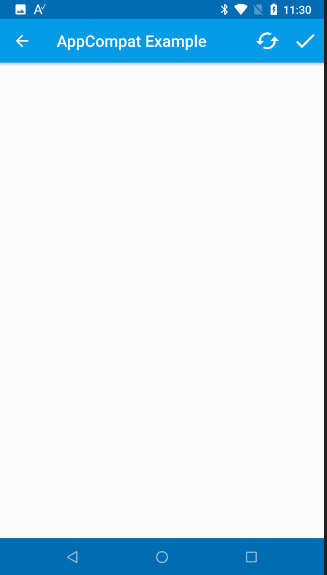
Edit: I no longer recommend using AppCompat.

If you want to further customize the action bar then you should use AppCompat with a toolbar.

SS-2017-12-28_11.28.05.png


This requires a bit more configuration but provides many features not available with the standard action bar:

1. Add to activity:
B4X:
#Extends: android.support.v7.app.AppCompatActivity
2. Add an ACToolBarLight custom view to the layout and check the "Use as main action bar" option.
3. Manifest editor code:
B4X:
SetApplicationAttribute(android:theme, "@style/MyAppTheme")
CreateResource(values, colors.xml,
<resources>
    <color name="actionbar">#ff039be5</color>
   <color name="statusbar">#ff006db3</color>
   <color name="textColorPrimary">#ffffffff</color>
   <color name="navigationBar">#ff006db3</color>
</resources>
)
CreateResource(values, theme.xml,
<resources>
    <style name="MyAppTheme" parent="Theme.AppCompat.Light">
        <item name="colorPrimary">@color/actionbar</item>
        <item name="colorPrimaryDark">@color/statusbar</item>
       <item name="android:textColorPrimary">@color/textColorPrimary</item>
       <item name="android:navigationBarColor">@color/navigationBar</item>
       <item name="windowNoTitle">true</item>
       <item name="windowActionBar">false</item>
       <item name="windowActionModeOverlay">true</item>
    </style>
</resources>
)
4. The toolbar color is set in the code:
B4X:
ACToolBarLight1.Color = 0xff039be5
 

Attachments

  • ThemeColorsWithAppCompat.zip
    11.1 KB · Views: 2,845
Last edited:

Robcom69

Member
Licensed User
Longtime User
Hi Erel,
just a simple question about your first example. I have changed the manfest as suggested and I have action bar, status bar and navigation bar colors changed.
Really wonderfull. But now I have a little problem, I have used the addmenuitem to add menu items in the bar...but the textcolor of the menu is white and the backgrund of the menu is white too, so i can't really see nothing..

I have seen the option in the manifest that set the primary color to white....
<color name="textColorPrimary">#ffffffff</color>
.. so acting on this value I can switch to color ff000000 (black) for example, and it to solve my menu problem, but on the other side, the text on the bar becomes black too, so probably I need to act on another parameter that I can't actually find.

Any suggestion?
Thanks a lot
 
Last edited:

Similar Threads

Top