Android Tutorial [Linux] B4A Wine Installer

📦 Install B4A on Linux Mint using Wine with a single silent script.​


GitHub: https://github.com/pyhoon/b4a-wine-installer
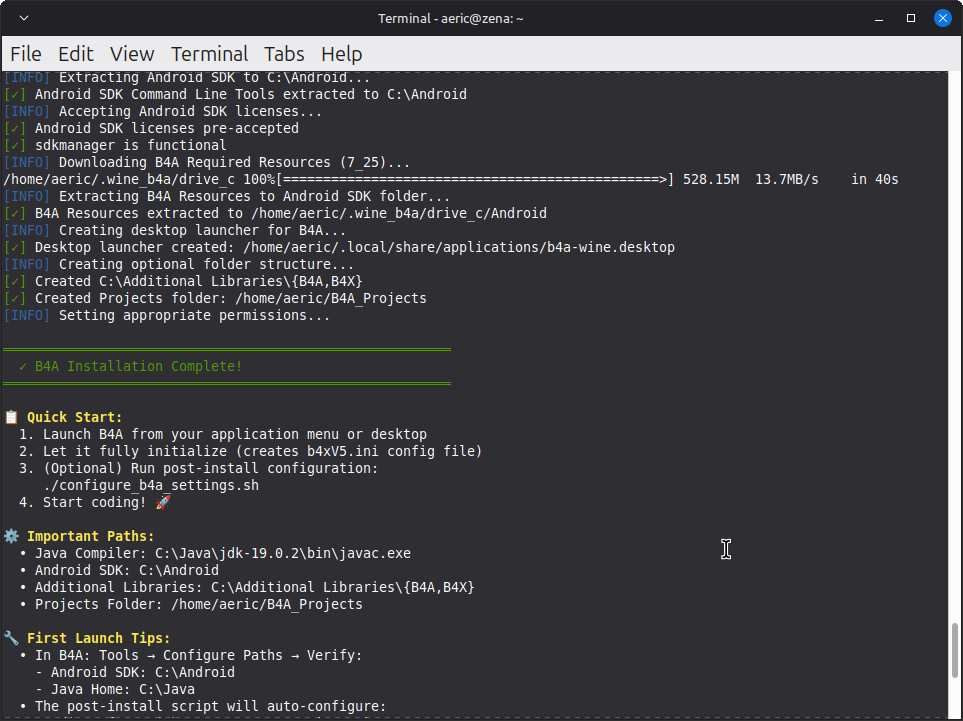
Screenshot1.png
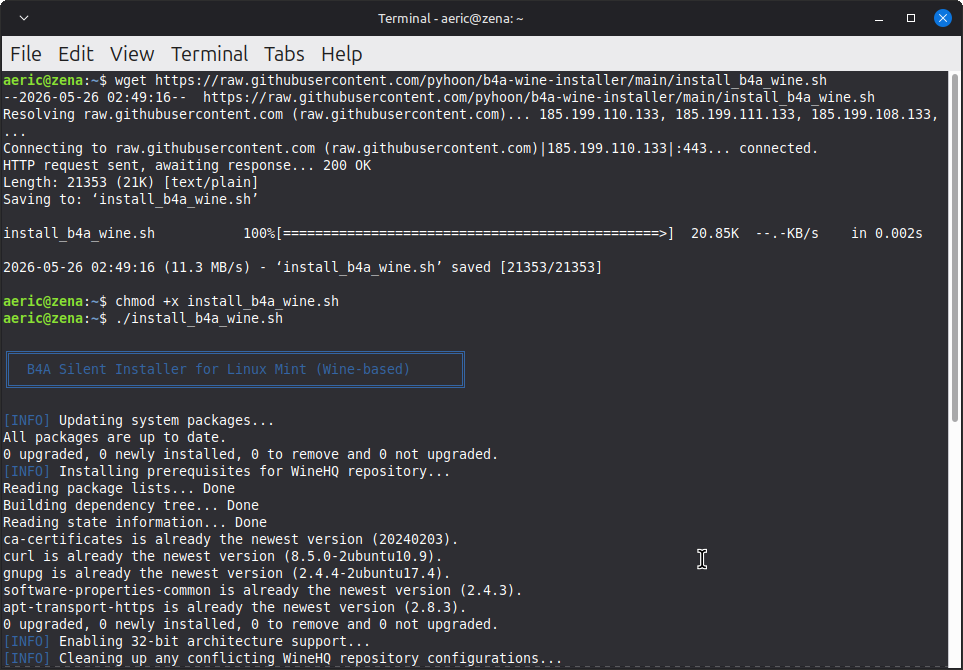
Screenshot2.png


Files:
  1. install_b4a_wine.sh
  2. uninstall_b4a_wine.sh
  3. configure_b4a_settings.sh
  4. README.md
The script is modified from the B4J Wine Installer script generated by AI (Qwen3.6-Plus chat)

Disclaimer: I haven't really fully tested it. Use it at your own risk.

🚀 How to use​

Just 3 lines of commands (You can copy and paste in one go).
Bash:
wget https://raw.githubusercontent.com/pyhoon/b4a-wine-installer/main/install_b4a_wine.sh
chmod +x install_b4a_wine.sh
./install_b4a_wine.sh

🤝 Contributing​

Found an issue or have an improvement?
  1. Fork the repository
  2. Create a feature branch
  3. Submit a Pull Request

📄 License​

MIT License - See LICENSE file for details.

▶️ Videos​

Installation:​


Uninstallation:​


Attachments

  • b4a-wine-installer.zip
    15.7 KB · Views: 46
Last edited:

aeric

Expert
Licensed User
Longtime User

⚙️ Post-Installation Configuration​

The `b4xV5.ini` configuration file is created by B4A on its first run, not during installation. To respect this workflow, we provide a separate configuration script.

How to Apply Preferenced Settings​

1. Launch B4A once (from menu or desktop)
2. Close B4A (no need to create a project)
3. Run the configurator:

Bash:
wget https://raw.githubusercontent.com/pyhoon/b4a-wine-installer/main/configure_b4a_settings.sh
chmod +x configure_b4a_settings.sh
Bash:
./configure_b4a_settings.sh

The script automatically configures `b4xV5.ini` with optimized settings:

Setting​
Value​
Purpose​
AdditionalLibrariesFolderC:\Additional LibrariesLocation for B4A library files
FontName2Ubuntu Sans MonoEditor font for better readability
FontSize215
JavaBinC:\Java\jdk-19.0.2\binPath to JDK compiler
logs_FontName2Ubuntu SansLog panel font settings
logs_FontSize215
NewProjectDefaultFolder/home/USER/B4A_ProjectsDefault project save location (Linux-native)
PlatformFolderC:\Android\platforms\android-36Android SDK platform reference

Manual Override

To edit settings after installation:
Bash:
# Open the INI file in your preferred editor
nano ~/.wine_b4a/drive_c/users/\$(whoami)/AppData/Roaming/Anywhere\ Software/Basic4android/b4xV5.ini

Troubleshooting​

This script may be updated so it may still have bugs. Verify the entries are correct!

1779767690910.png
 
Last edited:

aeric

Expert
Licensed User
Longtime User
If you want to test Linux Mint on Windows under VirtualBox, here are some tips but it is optional.
Note: Running virtual machine has lower performance than on a real machine.

Set Scale Factor to 125% so the screen will look better under a high resolution.

1779766581747.png


Set B4A font size for Code Editor and Logs from 12 to 15.
I made this easier using the Post Installation Configuration script in post #2 above.
This script also auto populate Paths Configurations so you can just run B4A after running the script.
 

aeric

Expert
Licensed User
Longtime User
Videos for installation and uninstallation have been added on first post.
 
Last edited:
Top