Android Question Load GMAP Initialize issue

AndroidMadhu

Active Member
Licensed User
Hello,
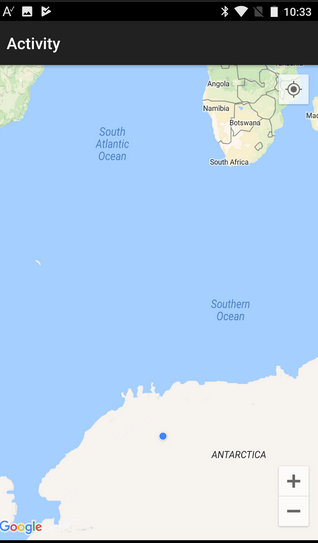
I am loading GMAP, and It is loading at (0,0) position. then it is coming as per the GPS current location.
But I want to initialize/load the MAP[When the Application start] with the current location of the user.

Below is the code I have used at Tracker Module...
B4X:
  Public Sub Track
If Tracking Then Return
If Starter.rp.Check(Starter.rp.PERMISSION_ACCESS_FINE_LOCATION) = False Then
Log("No permission")
Return
End If
GPS.Start(xx.5726, yy.3639)  'Hardcoded user current location==> Not working
Tracking = True
End Sub

Please advice

Thanks
 

DonManfred

Expert
Licensed User
Longtime User
track of GPS is not related to the users Position with GoogleMaps.

Load the layout, request the permission for user PERMISSION_ACCESS_FINE_LOCATION, enable MyLocationEnabled in googlemaps only if you have permission.

See GoogleMaps Tutorial; it is using the MyLocationEnabled in the Example.
B4X:
Sub Activity_Create(FirstTime As Boolean)
   Activity.LoadLayout("1")
   Wait For MapFragment1_Ready
   gmap = MapFragment1.GetMap
   rp.CheckAndRequest(rp.PERMISSION_ACCESS_FINE_LOCATION)
   Wait For Activity_PermissionResult (Permission As String, Result As Boolean)
   If Result Then
       gmap.MyLocationEnabled = True
   Else
       Log("No permission!")
   End If
End Sub
 
Upvote 0

AndroidMadhu

Active Member
Licensed User
@DonManfred ...
I have used the below code as advised at Activity_create... But no luck.... First the activity is loading with (0,0) lat long and then the map moving to the expected location.

Is that possible to load the map with user's lat/long when open the Application.

B4X:
Wait For MapFragment1_Ready
gmap = MapFragment1.GetMap
rp.CheckAndRequest(rp.PERMISSION_ACCESS_FINE_LOCATION)
Wait For Activity_PermissionResult (Permission As String, Result As Boolean)
If Result Then

Log(Tracker.gpslat)
Log(Tracker.gpslong)

gmap.MyLocationEnabled = True
'gmap.MyLocation.Initialize(Tracker.gpslat,Tracker.gpslong)

Do While gmap.MyLocation.IsInitialized = False
Log("Location not initialized... Sleep a while...")
Sleep(250)
Log("Initialized---")
Loop

If gmap.MyLocation.IsInitialized Then
Dim CameraPosition1 As CameraPosition
CameraPosition1.Initialize(gmap.MyLocation.Latitude,gmap.MyLocation.Longitude, 17)
gmap.moveCamera(CameraPosition1)
End If
Dim strLoc As String
strLoc=gmap.MyLocation.Latitude & "/" & gmap.MyLocation.Longitude
Log(strLoc)

lastLocation.Initialize()
Else
Log("No permission!")
End If

Please advice
 
Upvote 0
Top