Android Question why i can't use emulator

edy

Member
somebody can give me sugestion or help me please,
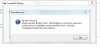
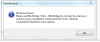
why I can't use android Emulator, if i want to compile or run the program I must using real device,
what wrong with my setting and software, I am using win7 32 bit and java jdk7-u25

turn up message :
upload_2013-8-6_13-17-56.png
 

Attachments

  • upload_2013-8-6_13-16-45.png
    upload_2013-8-6_13-16-45.png
    33.8 KB · Views: 234
  • upload_2013-8-6_13-17-50.png
    upload_2013-8-6_13-17-50.png
    22.4 KB · Views: 237

IanMc

Well-Known Member
Licensed User
Longtime User
In another thread Erel suggests that a possible solution may be to create another virtual device.

http://www.b4x.com/android/forum/threads/compiler-and-designer-cant-connect-to-emulator.15476/

Also if you go to the folder where you have your Java SDK installed there is a program called SDK Manager.exe

If you run this you can update all your SDK files and I'd suggest you try installing the x86 images then you can use hardware acceleration if you choose the x86 processor when you create your new emulator.

IIRC the steps to create a new emulator are for example,

open the AVD Manager
click on Device Definitions
double-click on the 5.1" WVGA device
check the 'Keyboard' checkbox (then you can use your PC's keyboard to enter data into the emulator)
Notice at the bottom it says 'Only user created devices are editable' so you need to press the 'Clone Device' button to create a copy of this device with your settings.

You should now have a copy of the device with a green icon, you can edit this one and now while it is selected you can press the 'Create AVD' button to the right.

Here you have to re-choose the device (at least I do)
then be sure to set the target to Android 4.1.2 - API Level 16

Then choose the Intel Atom (x86) and check the 'Use Host GPU' button but note that you cannot also check the Snapshot box but this should use hardware acceleration.

Try creating and deleting AVDs to get familiar with it.

 
Last edited:
Upvote 0

rbsoft

Active Member
Licensed User
Longtime User
@edy
Had you started the emulator before compiling? Does it run properly?
 
Last edited:
Upvote 0

IanMc

Well-Known Member
Licensed User
Longtime User
I don't have a lot of luck with these emulators, they don't run Bluetooth and they run really slowly on my PC.

I find the older versions of Android seem to be more reliable in the emulators however I really haven't done that much with them and I think that if you become an expert in the emulators then this will be really valuable for the future.

Also have you tried BlueStacks ? It's an 'App Player' that seems to work pretty well (still no bluetooth)

or Genymotion seems to be quite popular at the moment see this thread:

http://www.b4x.com/android/forum/threads/android-emulation-super-fast-speed.30586/
 
Upvote 0

rbsoft

Active Member
Licensed User
Longtime User
I like an emulator for quick testing, checking layout etc. I use Genymotion for that, because it is fast.
Since my applications usually use communication (Tcp and Bluetooth) I use a real device for the real work. TCP works well though, BT not yet.

Rolf
 
Last edited:
Upvote 0

edy

Member
@edy
Had you started the emulator before compiling? Does it run properly?
no no no .. I finish create my program, and I try to compile it with Emulator but it can't, the message box is like on top, and I trying again with my android device (my mobile android) and its work . I can operate my program in my device but can't on Emulator in my PC.
what is going on ?
 
Upvote 0

rbsoft

Active Member
Licensed User
Longtime User
Ok - you have to start the Emulator first. Wait until it has fully booted. Then compile your program and B4A will load the APK to the emulator and install and start it. You can have the emulator running and also have a real device connected at the same time. B4A will ask you to which device you want to install.

Does your Emulator work? I mean, after your started it can you operate like a normal device?
 
Upvote 0

edy

Member
In another thread Erel suggests that a possible solution may be to create another virtual device.

http://www.b4x.com/android/forum/threads/compiler-and-designer-cant-connect-to-emulator.15476/

Also if you go to the folder where you have your Java SDK installed there is a program called SDK Manager.exe

If you run this you can update all your SDK files and I'd suggest you try installing the x86 images then you can use hardware acceleration if you choose the x86 processor when you create your new emulator.

IIRC the steps to create a new emulator are for example,

open the AVD Manager
click on Device Definitions
double-click on the 5.1" WVGA device
check the 'Keyboard' checkbox (then you can use your PC's keyboard to enter data into the emulator)
Notice at the bottom it says 'Only user created devices are editable' so you need to press the 'Clone Device' button to create a copy of this device with your settings.

You should now have a copy of the device with a green icon, you can edit this one and now while it is selected you can press the 'Create AVD' button to the right.

Here you have to re-choose the device (at least I do)
then be sure to set the target to Android 4.1.2 - API Level 16

Then choose the Intel Atom (x86) and check the 'Use Host GPU' button but note that you cannot also check the Snapshot box but this should use hardware acceleration.

Try creating and deleting AVDs to get familiar with it.
still not work .. my emulator cannot be use. it can booting but my apps can't run on emulator.
 
Upvote 0

edy

Member
Ok - you have to start the Emulator first. Wait until it has fully booted. Then compile your program and B4A will load the APK to the emulator and install and start it. You can have the emulator running and also have a real device connected at the same time. B4A will ask you to which device you want to install.

Does your Emulator work? I mean, after your started it can you operate like a normal device?
no, it still can't be use .. the emulator was finish booting, but when I RUN my program, the emulator not turn up, this message. :
upload_2013-8-6_15-26-9.png

so I must using my android phone for RUN my program again.
please help me ..
 
Upvote 0

rbsoft

Active Member
Licensed User
Longtime User
@Erel:

"uncheck the remote compilation mode"

Is this a feature of the demo version only?

OK, found the answer already in another thread!
 
Upvote 0

edy

Member
Please explain step by step what exactly you are doing.
Without knowing what you are doing and how it's difficult to help you.
Or follow the instructions in the Beginner's Guide.

Best regards.
thank you for your concern buddy, but I had found my mistake.. one again thank you :)
 
Upvote 0
Top