In another thread Erel suggests that a possible solution may be to create another virtual device.
http://www.b4x.com/android/forum/threads/compiler-and-designer-cant-connect-to-emulator.15476/
Also if you go to the folder where you have your Java SDK installed there is a program called SDK Manager.exe
If you run this you can update all your SDK files and I'd suggest you try installing the x86 images then you can use hardware acceleration if you choose the x86 processor when you create your new emulator.
IIRC the steps to create a new emulator are for example,
open the AVD Manager
click on Device Definitions
double-click on the 5.1" WVGA device
check the 'Keyboard' checkbox (then you can use your PC's keyboard to enter data into the emulator)
Notice at the bottom it says 'Only user created devices are editable' so you need to press the 'Clone Device' button to create a copy of this device with your settings.
You should now have a copy of the device with a green icon, you can edit this one and now while it is selected you can press the 'Create AVD' button to the right.
Here you have to re-choose the device (at least I do)
then be sure to set the target to Android 4.1.2 - API Level 16
Then choose the Intel Atom (x86) and check the 'Use Host GPU' button but note that you cannot also check the Snapshot box but this should use hardware acceleration.
Try creating and deleting AVDs to get familiar with it.


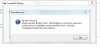
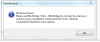


 I can connect it, one again thanks .


